How to use Discourse for Customer Support
This guide covers how to use Discourse to cut your ticket volume, plus the habits that separate a support community that works from one that doesn’t!


Support teams spend a lot of time answering the same questions, but a community forum lets your users find answers themselves and help each other, freeing your team up to focus on the problems that actually need them.
Fewer tickets is only part of it; a well-run forum becomes a self-sustaining knowledge base, a place where experienced users often answer before your staff can, and a record of every problem your customers have encountered. But it only works if you set it up with some care. A forum you launch and ignore fills up with unanswered questions, which is worse than having no forum at all!
Deflect tickets by making answers findable.
When someone asks a question and gets an answer, that topic stays indexed and searchable. The next person with the same problem can find it through Google, Discourse’s own search, or even AI assistants like Gemini, Claude, Kimi, and ChatGPT before they ever open a ticket. A single answer can head off hundreds of future tickets - as long as people (and AI!) can find it.
Several features and practices help make this happen:
- Semantic search: This surfaces topics based on what someone means rather than the exact words they type. Users can describe a problem in plain language and still land on the right answer, even without knowing the technical term for it.
- Conversation summaries: This condenses long troubleshooting topics into a short answer, so a new visitor doesn’t have to read 200 posts to find the fix.
- Structured data for search engines: Marking up solved topics with schema.org Q&A metadata (QAPage) allows Google to surface the accepted answer as a rich result right in the search listing. That extra visibility attracts people who would otherwise open a ticket and points them straight to the reply that worked.
- AI discoverability: In today's landscape, AI tools rely on crawling high-quality, publicly indexed data to answer user queries. By ensuring your answers are well-structured and indexable, bots can easily find them, use them to answer questions, and link directly back to your community as the authoritative source.
Keep an eye on topic quality, though. Whether a user is searching Google or asking an AI, this system only deflects tickets when the answers it turns up are correct and clearly marked. That brings us to the first of the practices below.
Turn your community into your first line of support
You don’t have to answer everything yourself. Discourse gives your experienced users the tools and recognition to help others, and your team stays on the complex, high-value problems.
- Trust levels and moderation. Active members gain moderation abilities over time, lightening your team’s load as the community matures.
- Automated translations. Discourse AI automatically translates content, so you can serve users in other languages without hiring multilingual agents.
- Content moderation. AI flags spam, NSFW content, and toxicity before it reaches your moderators.
- SSO and integrations. Connect Discourse to your product login, ticketing system, and existing stack through SSO, webhooks, and the API.
Let the knowledge base build itself.
Traditional knowledge bases need constant upkeep and go stale fast. A community works the other way. Real conversations between real users build up a body of answers that gets more useful the more people use it.
To keep it organized:
- Categories and tags sort support topics by product, feature, or issue type, so users find the right place to ask and your team can triage quickly.
- Community analytics track sentiment, trending issues, and documentation gaps, so you can catch problems before they become ticket spikes.
- Discourse Docs turns your best community answers into a curated, browsable knowledge base. Promote solved topics into a structured documentation section so the answers your members write become official reference material, with no separate docs pipeline to maintain.
Best practices for running forum-based support
The features above only pay off if you run the forum well!
A few habits make a huge difference:
Mark solutions clearly. Enable the “solved” feature so answered questions show the accepted answer at the top. That tells the next visitor which reply worked and keeps your search results clean. A topic with 40 replies and no marked solution just makes people dig.
Respond fast, especially early. The first few months set the tone. If people ask questions and hear nothing, they stop asking, and the forum dies before it gets going. Have staff commit to a response time for unanswered topics at the start, even if the response only acknowledges the question. Once the community hits critical mass, users start answering each other, and you can ease off.
Seed it before you launch. An empty forum is intimidating. Before you open the doors, fill it with answers to your most common tickets, each written as its own Q&A topic. Your existing help desk is the source: the top 20 questions you get over and over are your content plan. New visitors then see a place with answers instead of a blank page.
Reward your helpers. The users who answer questions for free are your most valuable asset, and recognition is what keeps them around. Trust levels, badges, and a visible thank-you from staff all help. Some teams give top contributors early access to features, a direct line to the product team, or swag. It costs little next to what they save you.
Keep categories simple. It’s tempting to build an elaborate taxonomy on day one. Don’t. Too many categories leave people unsure where to post, and scatter related questions across the forum. Start with the smallest set you can, often just three or four categories, and remember the fewer you launch with, the better. Split a category only when it clearly gets too busy, and let tags handle the finer sorting.
Close the loop with your product and docs teams. The forum shows you in real time what confuses your users. A cluster of questions about the same feature usually means your docs have a gap or the product has a rough edge. Build a habit, even a monthly review, of turning recurring questions into official documentation and handing patterns back to the product team!
Don’t let staff answer everything. Employees jumping on every question can smother the community. If people learn that staff always answers, they stop helping each other, and you’re back to doing all the work. Leave room for members to respond first, and step in when nobody does, when an answer is wrong, or when the question really needs an official response.
Write for the search visitor. Far more people read a topic than post in it. They land from a search engine, read the accepted answer, and leave. Push for stand-alone, easy-to-read answers, and lightly edit the best topics. A good reply is documentation that later visitors will read for years!
See it in action
Let’s Encrypt runs support for the world’s largest certificate authority, serving over 46% of websites, without a paid support function. Its Discourse community lets experienced members troubleshoot certificate issues for one another, which keeps costs low enough for the nonprofit to give certificates to anyone regardless of ability to pay.
 Osioke Itseuwa
Katalon, the software testing platform, moved from a self-hosted forum to Discourse’s enterprise hosting to keep up with its growth. Since the upgrade, the team has seen higher engagement, more frequent posts, and improved sentiment as members increasingly respond to each other.
 Stella Kapakos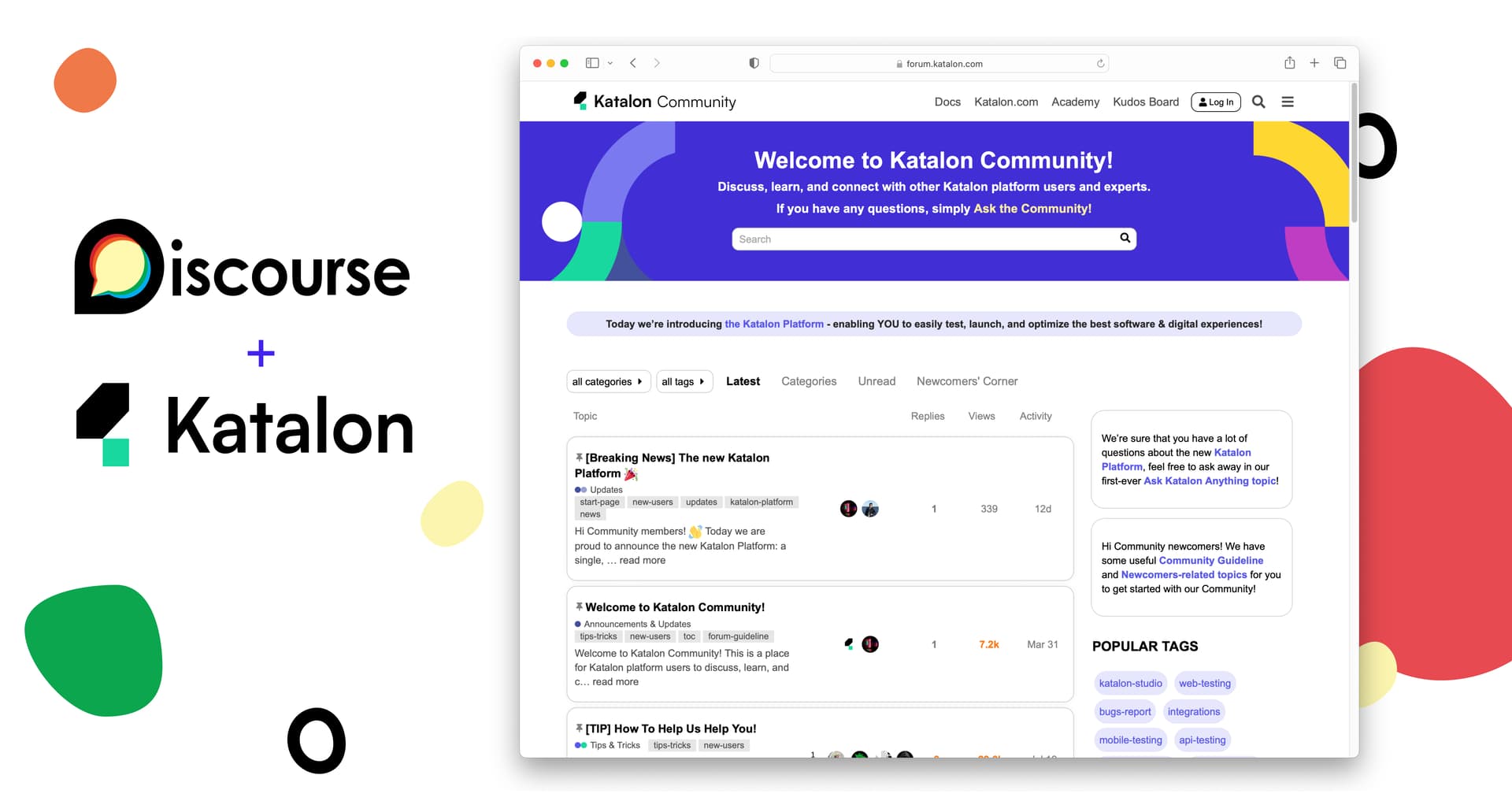
You can find more Discourse communities designed around customer support on Discourse Discover!
Getting help with setup
If you’d rather not configure everything yourself, Discourse’s professional services team can help with categories, integrations, moderation, and AI features for your specific needs. They’re engineers who know the platform well.
Ready to get started?
Explore Discourse for support communities, or talk to the sales team to design the right setup for your organization.
Comments